

Tracking pixels
Send your store's purchases to Meta, TikTok and Google Analytics, and load Google Tag Manager.
Connect your ad and analytics accounts so they see the sales your campaigns bring in. Your store pages load the browser pixel for each ID you enter. For Meta, TikTok and Google Analytics 4, Sorai also reports each purchase from its own server, which still counts when a buyer's browser blocks ads.
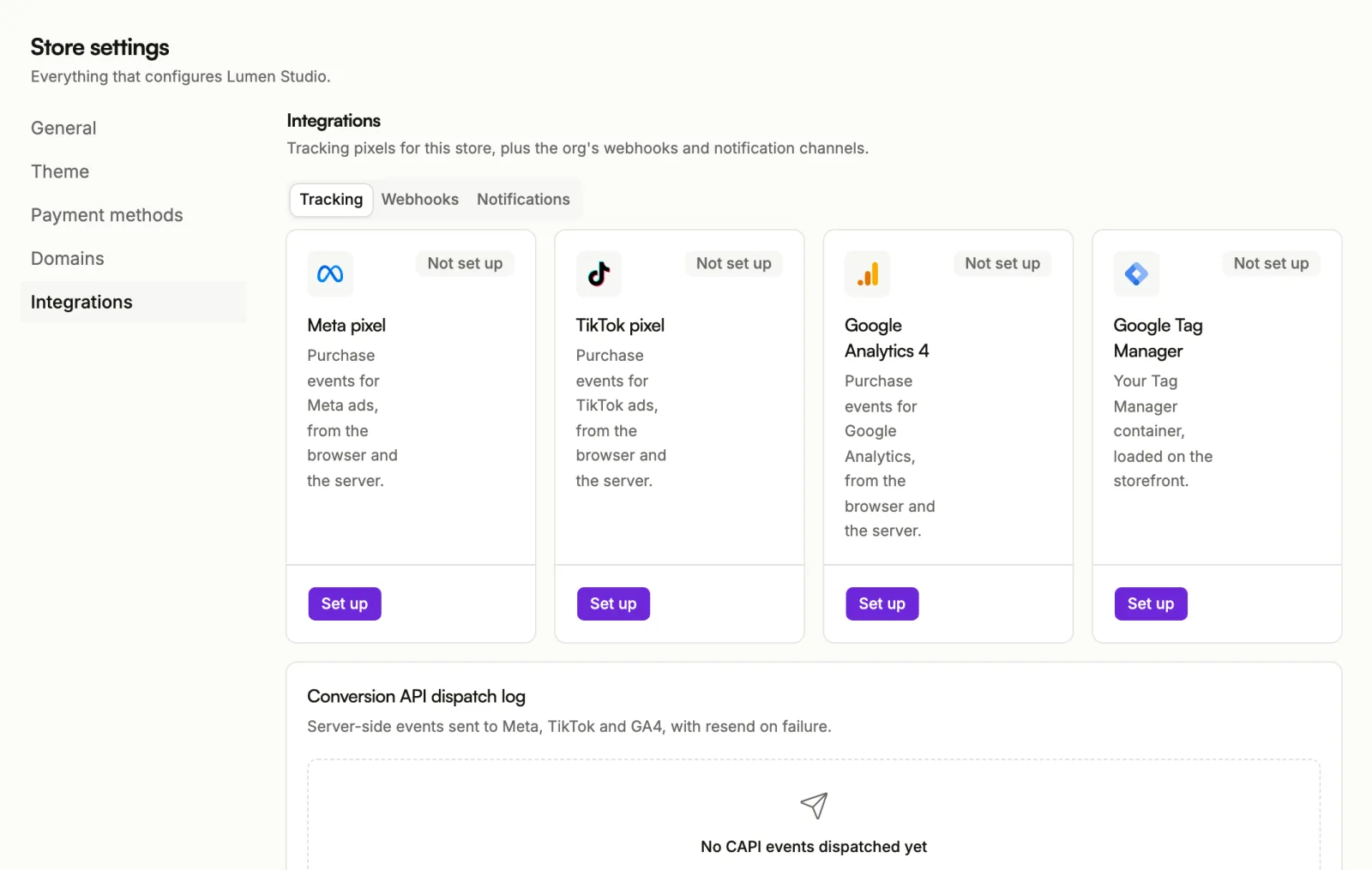
Pixels are set per store. Open Store settings, then Integrations, then the Tracking tab. Four cards show what is connected:
- Meta pixel: purchase events for Meta ads.
- TikTok pixel: purchase events for TikTok ads.
- Google Analytics 4: purchase events for Google Analytics.
- Google Tag Manager: your container, loaded on the storefront.
Each card reads Connected or Not set up. Choose Set up to connect one, or Manage to change it.
Connect Meta
- On the Meta pixel card, choose Set up.
- Enter your Meta pixel ID. In Meta Events Manager it is under Data Sources, then your pixel.
- Enter a Meta CAPI token. In Events Manager, open Settings, then Conversions API, then Generate access token. This lets Sorai report purchases from the server.
- Choose Save.
To check the setup with Meta's Test Events tool, paste its code into Meta test event code. Clear it when you're done: live purchases that carry a test code don't count.
Connect TikTok
- On the TikTok pixel card, choose Set up.
- Enter your TikTok pixel ID. In TikTok Events Manager it is under your pixel, then Details.
- Enter a TikTok CAPI token. In Events Manager, open your pixel, then Settings, then Generate token.
- Choose Save.
TikTok test event code works like Meta's. TikTok issues its own code, separate from Meta's.
Connect Google Analytics 4
- On the Google Analytics 4 card, choose Set up.
- Enter your GA4 measurement ID. In Google Analytics it is under Admin,
Data Streams, then your web stream. It starts with
G-. - Enter a GA4 API secret. On the same web stream, open Measurement Protocol API secrets, then Create.
- Choose Save.
Test sends a test event. A pass means GA4 accepted the event format; it does not check the API secret.
Connect Google Tag Manager
- On the Google Tag Manager card, choose Set up.
- Enter your GTM container ID. In Tag Manager it is under Admin, then
Container Settings. It starts with
GTM-. - Choose Save.
Tag Manager runs alongside the Meta, TikTok and GA4 pixels, not instead of them. Set those up on their own cards even if your container also has them.
Tokens and secrets
Tokens and API secrets are stored encrypted and never shown in full. When you manage a pixel later, leave the field untouched to keep the current value, or choose Replace to enter a new one.
Check what was sent
Under the cards, the Conversion API dispatch log lists the server-side events sent to Meta, TikTok and GA4: the Event, the Platform, its status, and how many attempts it took. It shows the most recent attempts.
If an event failed, use the resend button on its row to send it again.
On your own site
Selling from a site you host yourself? sorai-js can load your pixels there and send page and product events from the browser. See Events and attribution.