

API keys
Create a key for the Sorai CLI, the API or sorai.js on your own site, and revoke one you no longer need.
An API key lets software act for your organization: the Sorai CLI, your own code calling the API, or sorai.js on a site you host yourself. You don't need one to sell from the console.
Open Organization, then API keys. Owners and admins can create and revoke keys.
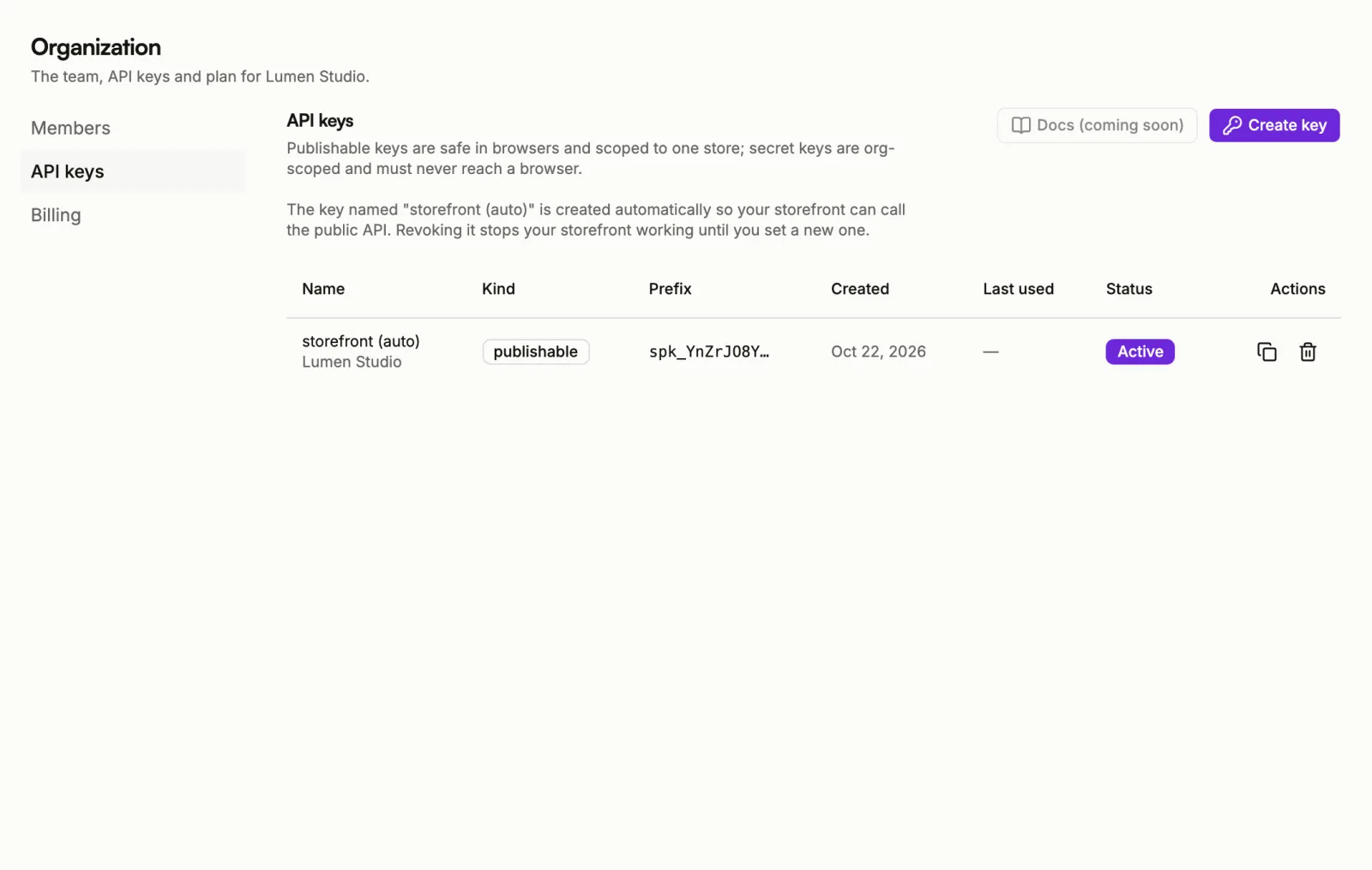
Publishable or secret
- Publishable: belongs to one store and is safe to put in a web page. Use it for sorai.js on your own site.
- Secret: belongs to the whole organization and can do only what you allow it. Use it for the CLI and for your own server. Never put it in a web page. Secret keys need the Pro or Business plan.
Create a key
- Choose Create key.
- Pick the Kind: Publishable or Secret.
- Optionally give it a Name, so you can tell your keys apart later.
- For a publishable key, pick its Store. For a secret key, tick the Permissions it needs, such as View orders or Manage products, prices, media and discount codes.
- Choose Create key, copy the key, then choose Done.
A secret key is shown once, right after you create it. If you lose it, revoke it and create a new one.
A publishable key can be copied again from its row at any time.
For which permissions each task needs, see the CLI quickstart and the API reference.
Revoke a key
Choose the bin icon on the key's row, then Revoke. Anything using the key stops working immediately, and this can't be undone.
The key named storefront (auto) is created automatically so your storefront works. Revoking it stops your storefront working until you set a new one.
Keep track of your keys
The list shows each key's name, kind, prefix, when it was created and when it was last used, and whether it's Active or Revoked. A key you don't recognise, or one nobody has used in a long time, is safest revoked.