

Products
What you sell, how each type reaches your buyer, and who can see it.
A product is the thing a buyer pays for. Each one has a type, at least one price, and whatever the buyer receives: a file, a course, a license key, your instructions, or other products in a bundle.
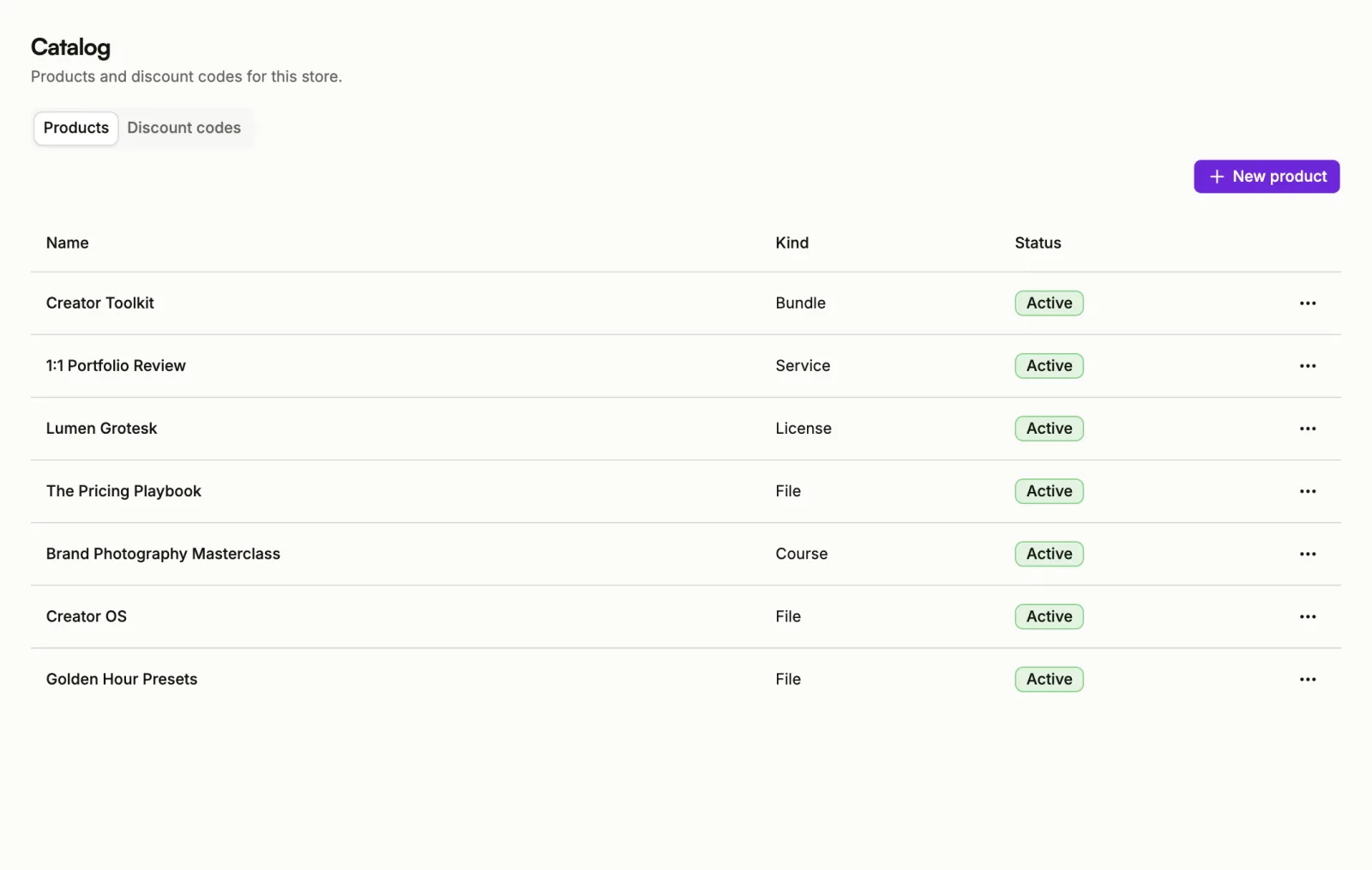
Products live under Catalog in the sidebar. Products lists them, and the Discount codes tab beside it holds your codes. Media holds the images you use on products and pages.
Product types
You pick the type when you create the product, and it decides what the buyer gets.
- File: something buyers download and keep, such as an ebook, a preset pack or a template. Buyers get every file you upload.
- Course: lessons buyers work through inside Sorai. They sign in to watch and continue from where they stopped.
- License: software or assets unlocked with a key. Each buyer gets their own license key on their receipt.
- Service: work you deliver yourself after they pay. Buyers see your instructions on their receipt.
- Bundle: several of your products sold together at one price.
Membership shows as Coming soon. Sorai can't deliver memberships yet, so you can't create one.
Who can see a product
Every product has one of three statuses.
- Draft: only you can see it. It isn't listed and can't be bought. New products start here.
- Active: listed on your store, and buyers can pay for it.
- Archived: hidden from your store. People who already bought it keep their access.
A product can only go Active once it has what a buyer needs, such as a price and something to deliver. See Create a product for the checklist.
In this section
Create a product
Pick a type, fill in the details, and put it on sale.
Prices and editions
Set what a product costs, or sell it in more than one edition.
Files and delivery
Upload files, issue license keys, explain a service, build a bundle.
Courses
Build sections and lessons, and see how far buyers get.
Checkout offers
Offer one more product at checkout or right after payment.
Discount codes
Give buyers a percentage or a fixed amount off at checkout.
Media
Upload and manage the images on your products and pages.
Prefer the terminal? The CLI creates products, prices and media too.