

Manage your affiliates
Approve applications, invite affiliates, change their rates, and suspend them.
Everyone who promotes your store is listed on the store's Affiliates page, with their status and their rate. Owners and admins manage them; staff can see the list and each affiliate's ledger.
An affiliate is in one of these states:
- Applied: waiting for you to decide.
- Active: earning on the sales they send.
- Suspended: earning nothing on new sales.
- Rejected: you turned down their application.
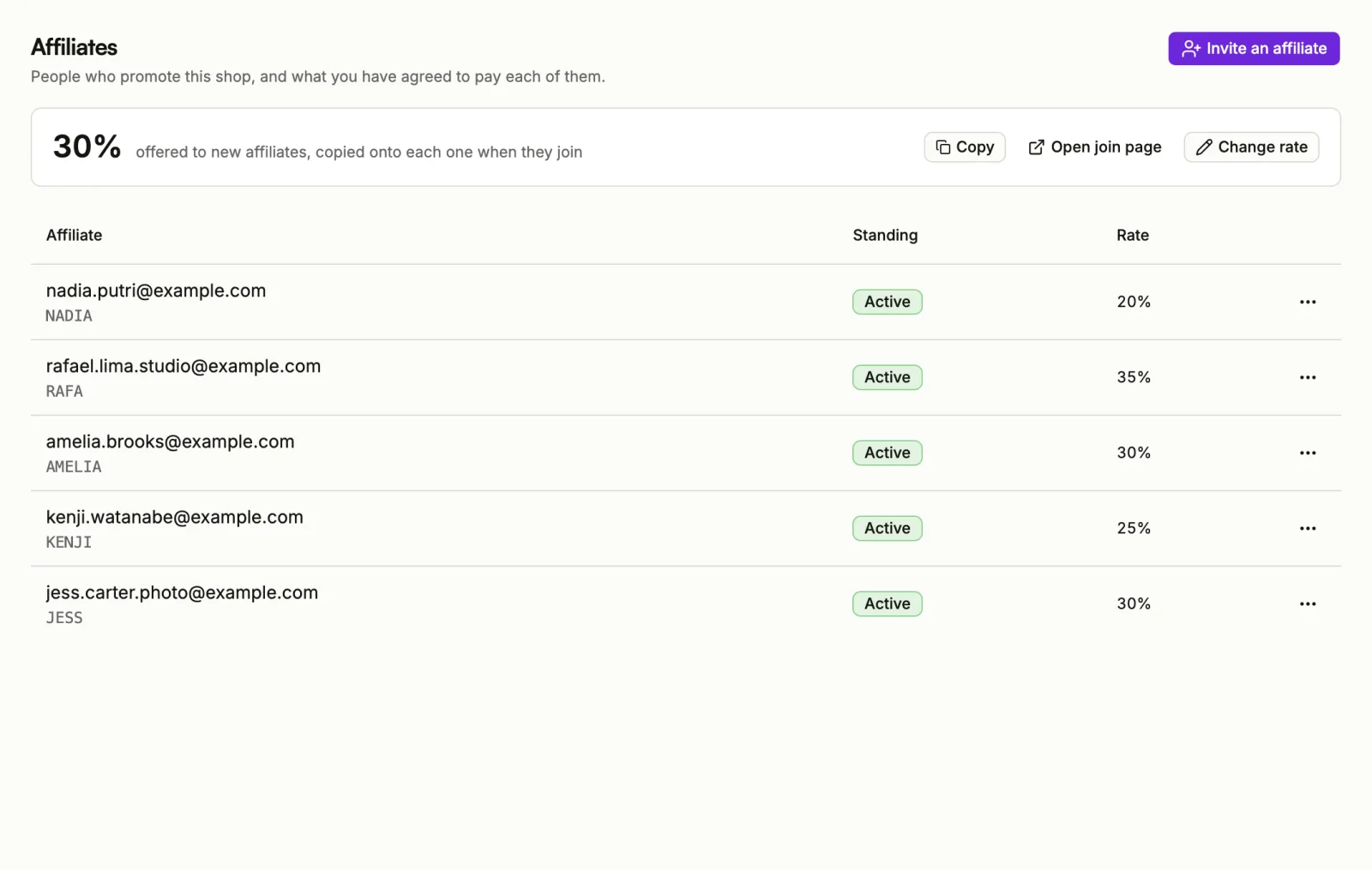
Approve or reject applications
New applications from your join page appear under Waiting on you, with the date they applied and the rate they get if you approve.
- Choose Approve to let them in. Their link starts working straight away, at the rate shown.
- Choose Reject to turn them down. They are told nothing automatically, and they cannot apply to your store again from the join page.
Invite an affiliate
Invite someone you already work with, without waiting for an application.
- Choose Invite an affiliate.
- Enter their Email: the address on their Sorai account.
- Optionally, set their Commission. Leave it blank for your program rate.
- Optionally, set their Referral code: letters, numbers, hyphens and underscores, up to 64 characters. Leave it blank and Sorai generates one.
- Choose Add affiliate.
They join straight away; there is nothing for you to approve afterwards.
The person needs a Sorai account first. Owners and admins of your store cannot be its affiliates.
Change one affiliate's rate
- In the list, open the actions menu on their row.
- Choose Set their rate, enter the new rate, and choose Save.
The new rate applies to sales from now on. Commission already earned keeps the rate it was earned at.
Suspend or reinstate
Choose Suspend from the actions menu on their row, then confirm. They stop earning on new sales and their link stops crediting them. Commission already on their ledger is untouched, including anything still held.
To let them earn again, choose Reinstate from the same menu.
If an affiliate's row says Account disabled, earns nothing, their Sorai account itself is disabled. That is not something you can change.
See one affiliate in detail
Choose an affiliate in the list to open their page. It shows their referral link, when they joined, What you owe them, their Ledger of every commission, reversal and payment, and the Payments you have recorded. From there you can Record a payment; see Pay your affiliates.